Know what you’re paying for.
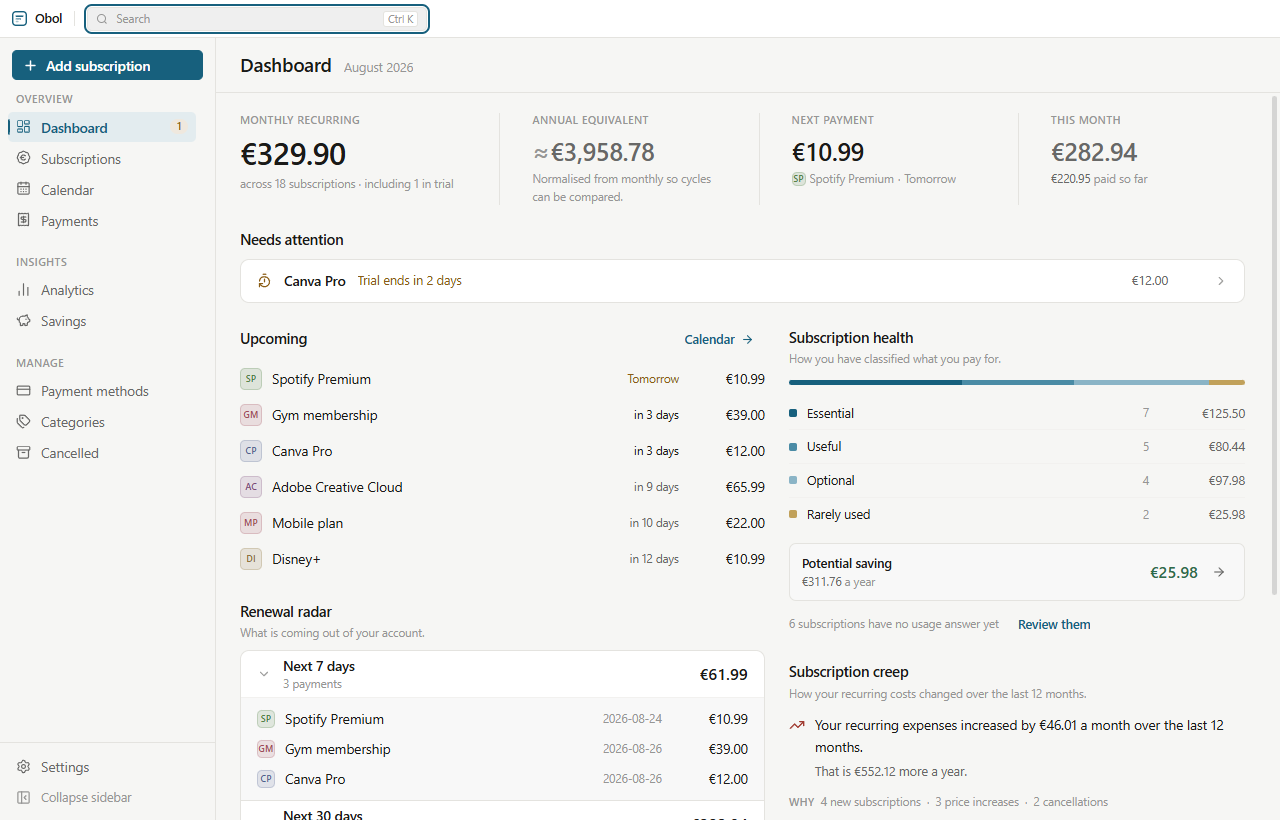
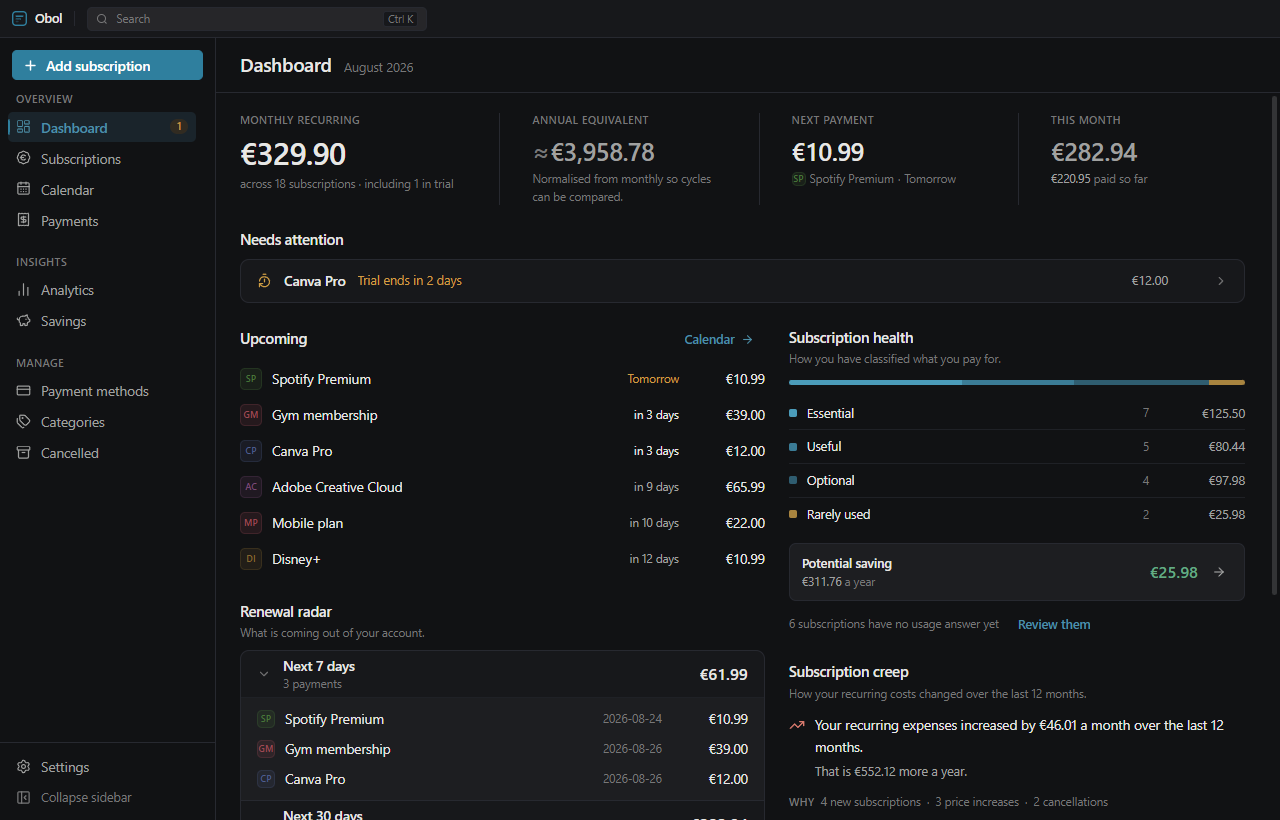
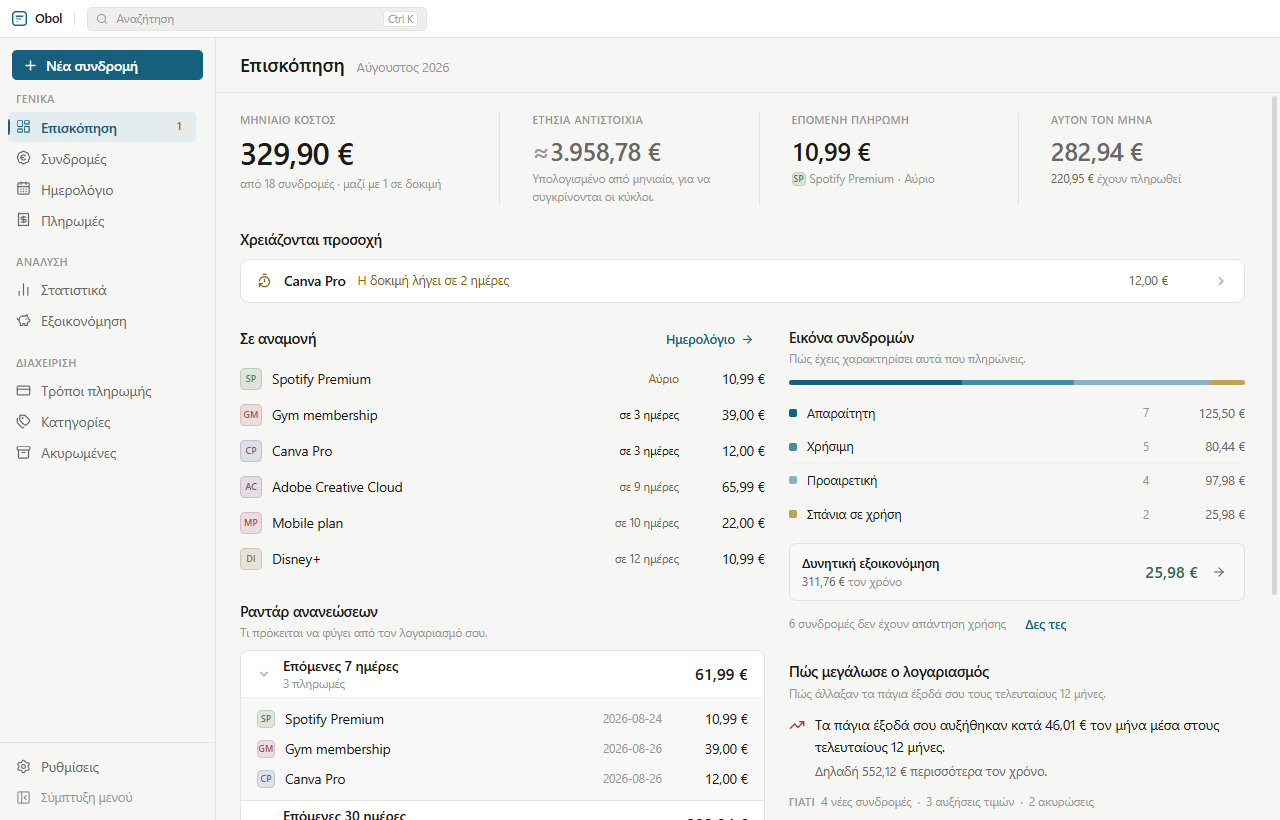
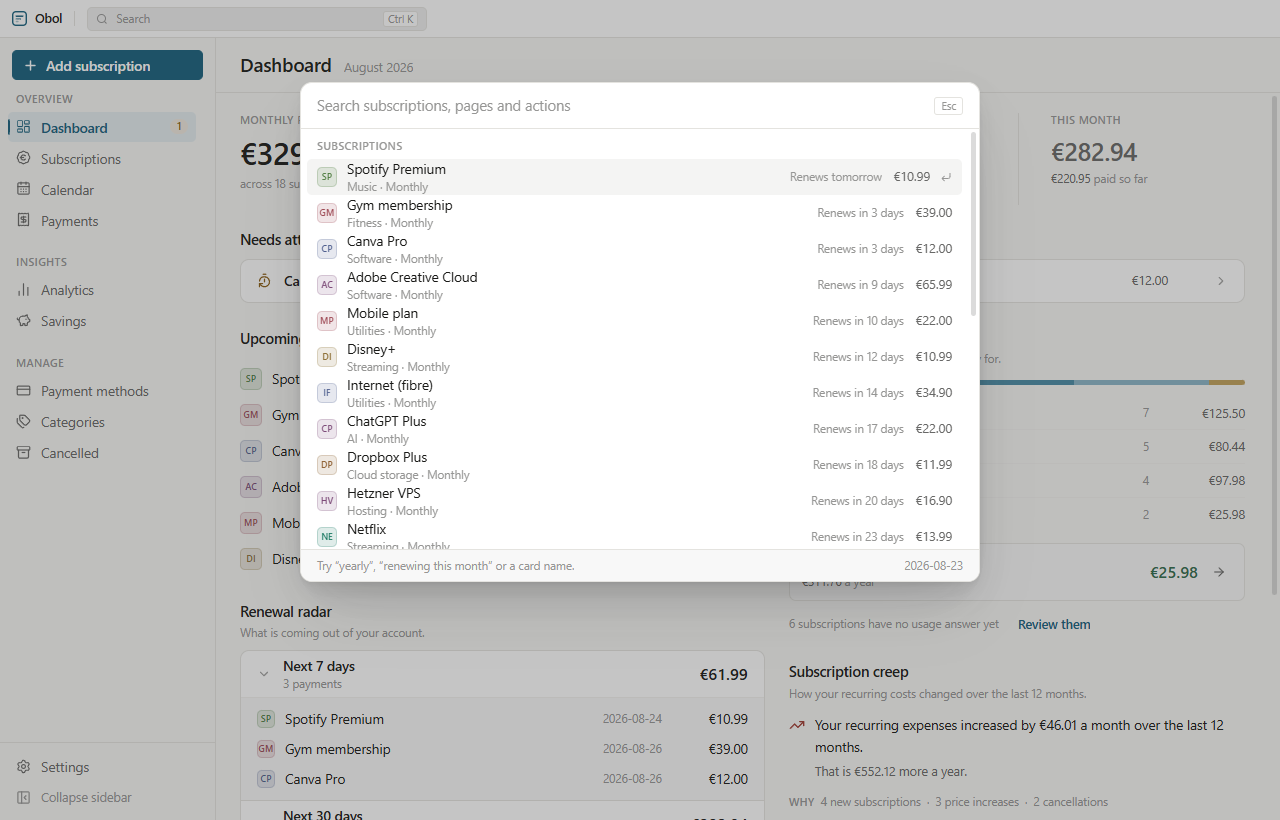
Obol keeps every subscription and recurring expense in one place — what it costs, when it renews, and what it has quietly done to your budget since you signed up. It runs entirely on your own machine: no account, no server, no telemetry, nothing to sign up for.
- No account
- Works offline
- No telemetry, ever
- Your data in a file you own
- English & Ελληνικά
- MIT licensed
One figure that actually compares.
€120 a year, €30 every three months and €10 a month are the same subscription at three different cadences. Obol works every normalised cost out from an annual base, so the cycles people really use divide exactly and “monthly cost” means one thing everywhere in the app.
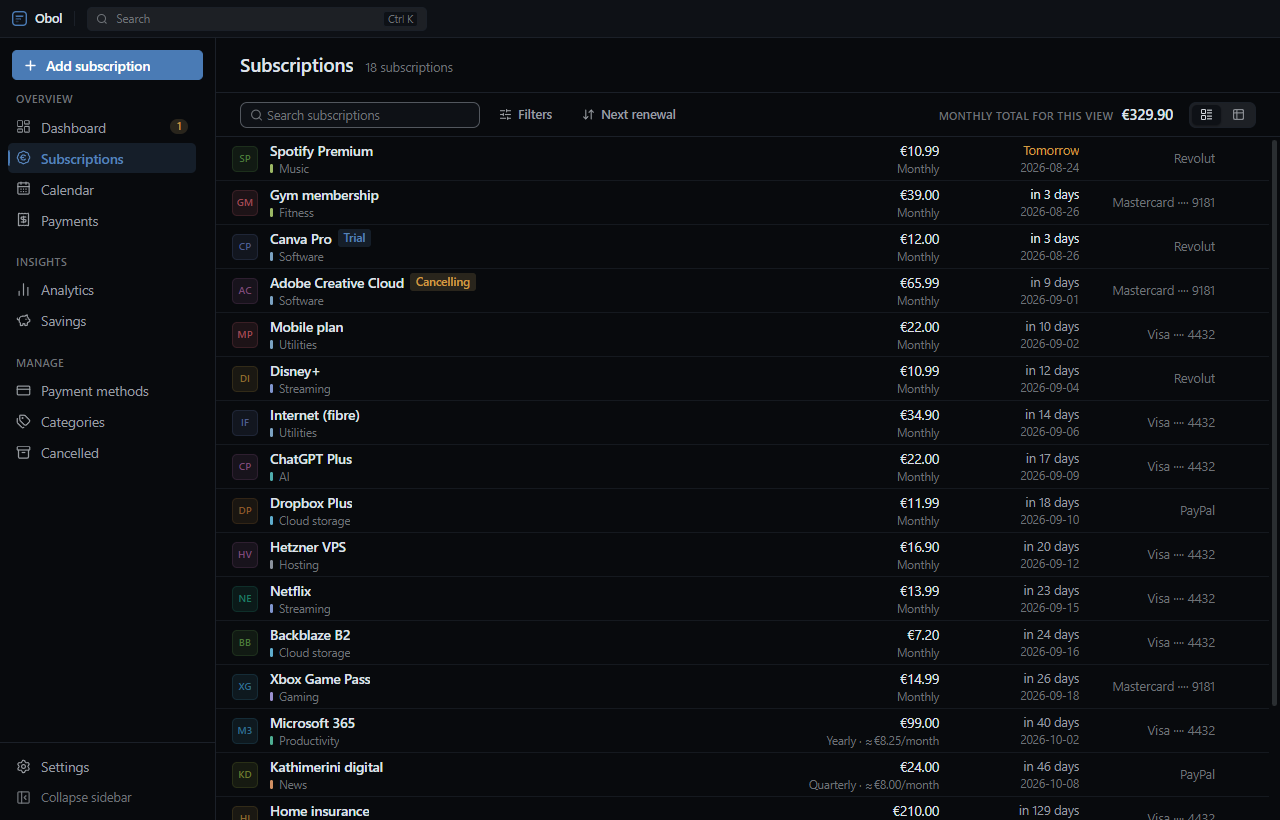
- Rows or a table, whichever suits you — and it is remembered.
- Filter by status, category, payment method, billing cycle or how you classified it.
- Eleven currencies, converted into the one you think in. A figure that could not be converted is never passed off as if it had been.
- Trials are not counted as spending while they run, and convert themselves when they lapse.
Nothing arrives unannounced.
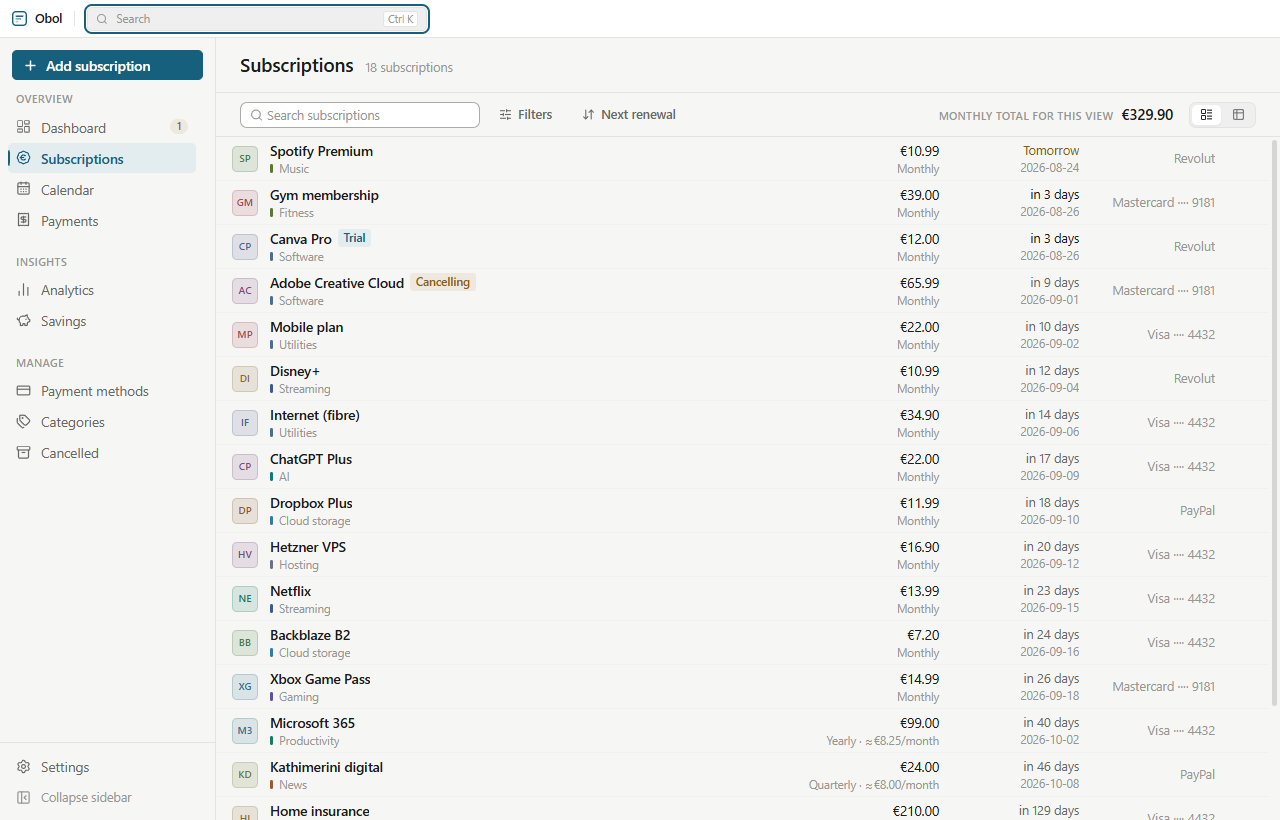
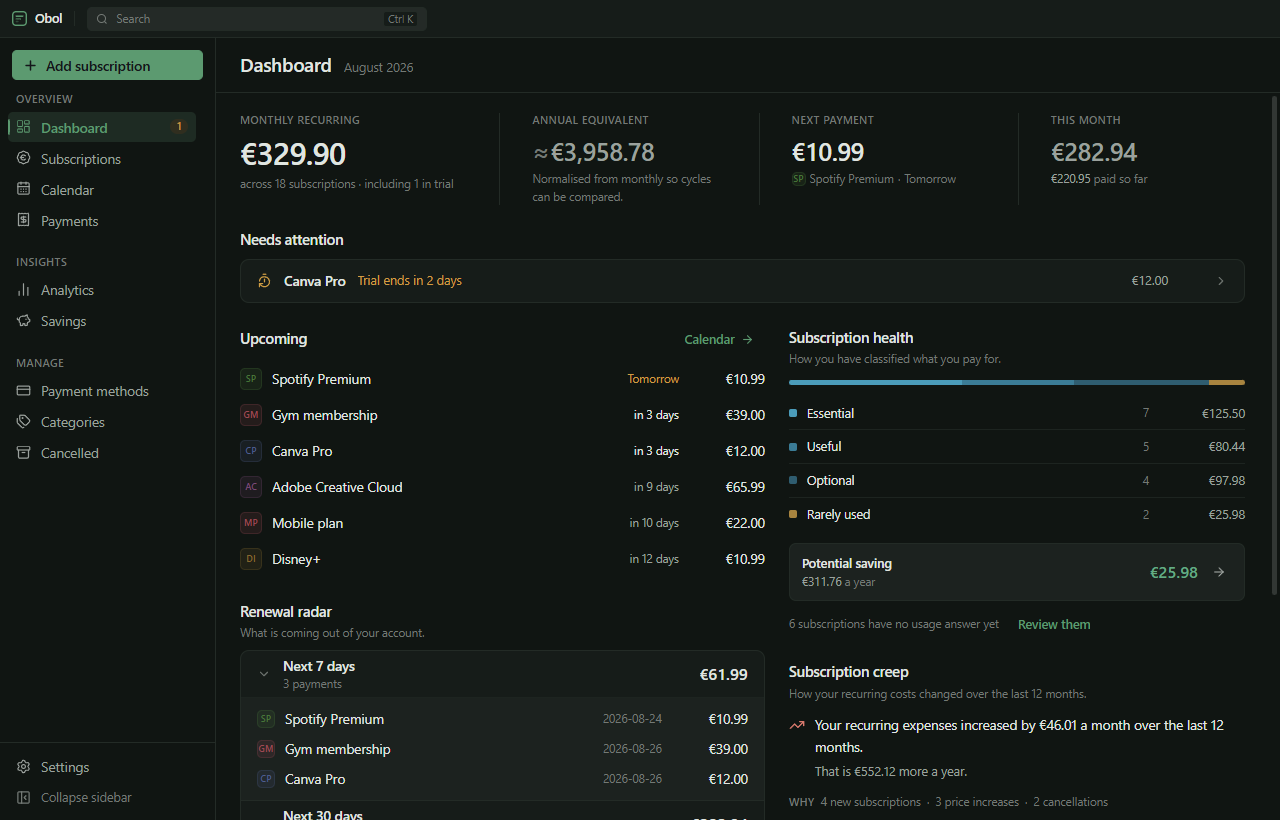
A renewal radar for the next 7, 30 or 90 days. A month view of what lands on which day. Reminders for renewals, for trials about to convert, and for cancellation deadlines you set yourself.
- Reminders are records, not timers. One that would have fired while the machine was asleep is still delivered the next time you start up.
- A renewal that passed while the app was closed really was charged. Obol records it as a payment on launch and moves the date on — your card did not wait for you.
- Billing dates are civil dates. The 31st means the 31st in Athens and in Vancouver, and 31 Jan → 28 Feb → 31 Mar, not 28 for ever.
Why am I paying more than last year?
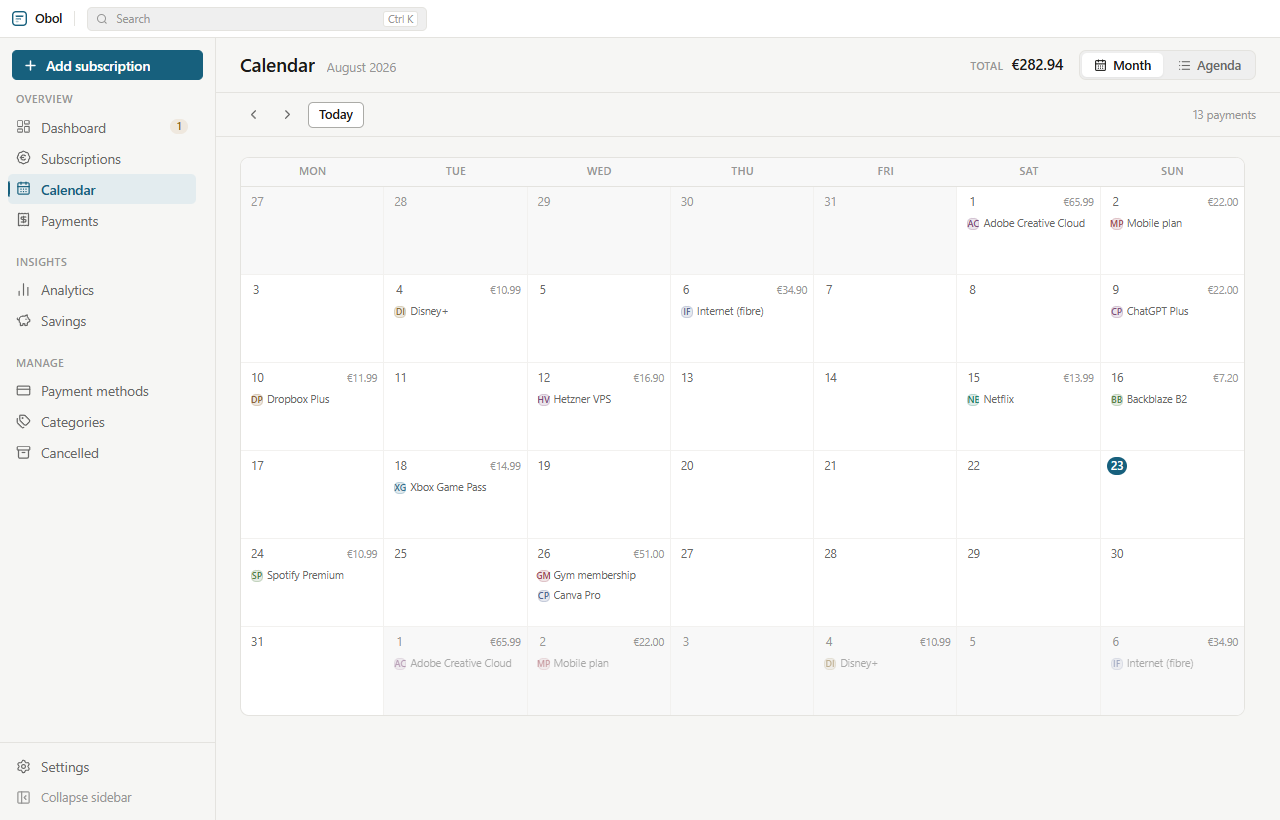
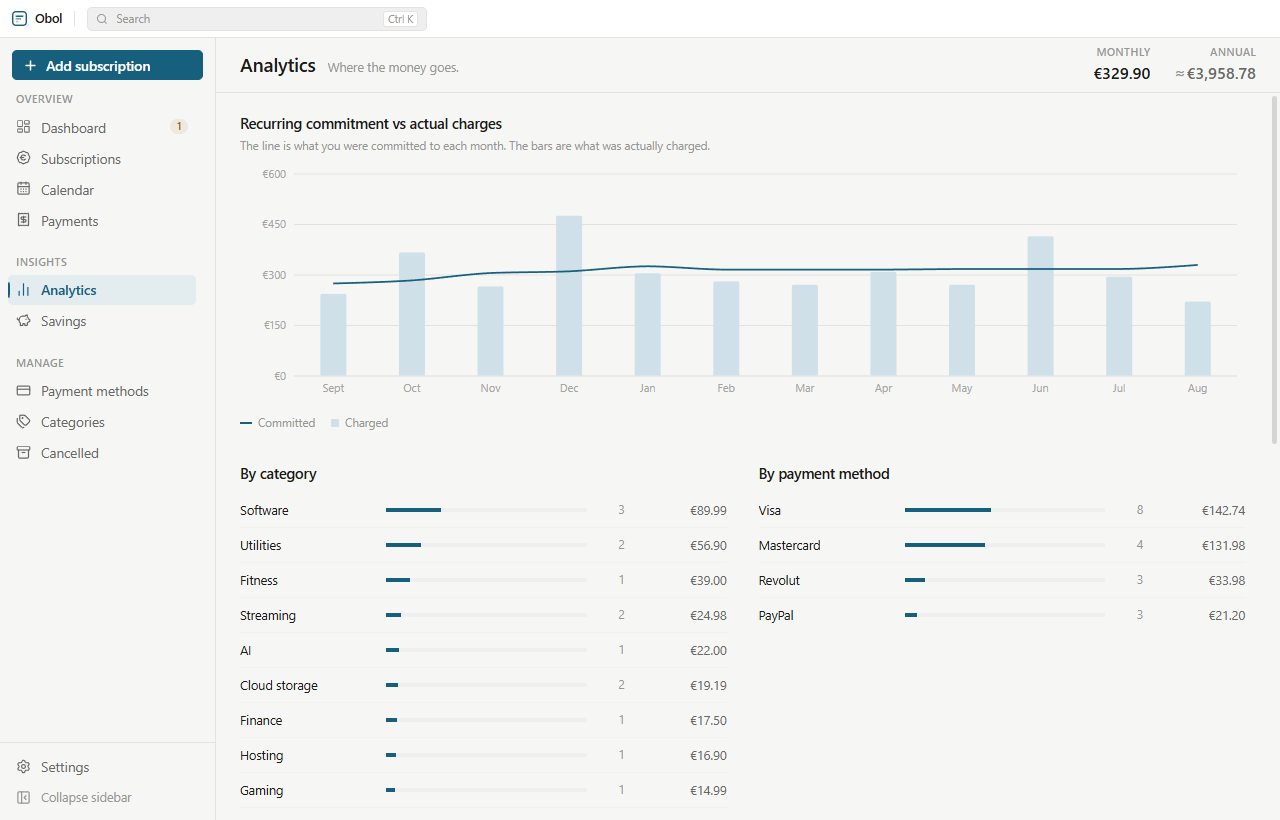
Committed cost against what was actually charged, month by month. Spending by category and by payment method. And subscription creep: the twelve-month change in your recurring costs, broken into what caused it.
- New subscriptions, cancellations, price rises, price cuts — each with the figure it contributed.
- Price history across everything you pay for, so “this went up again” becomes a number instead of a feeling.
- Every chart is drawn from your own records. Nothing is estimated, and nothing is fetched.
Cancel on purpose, not in a panic.
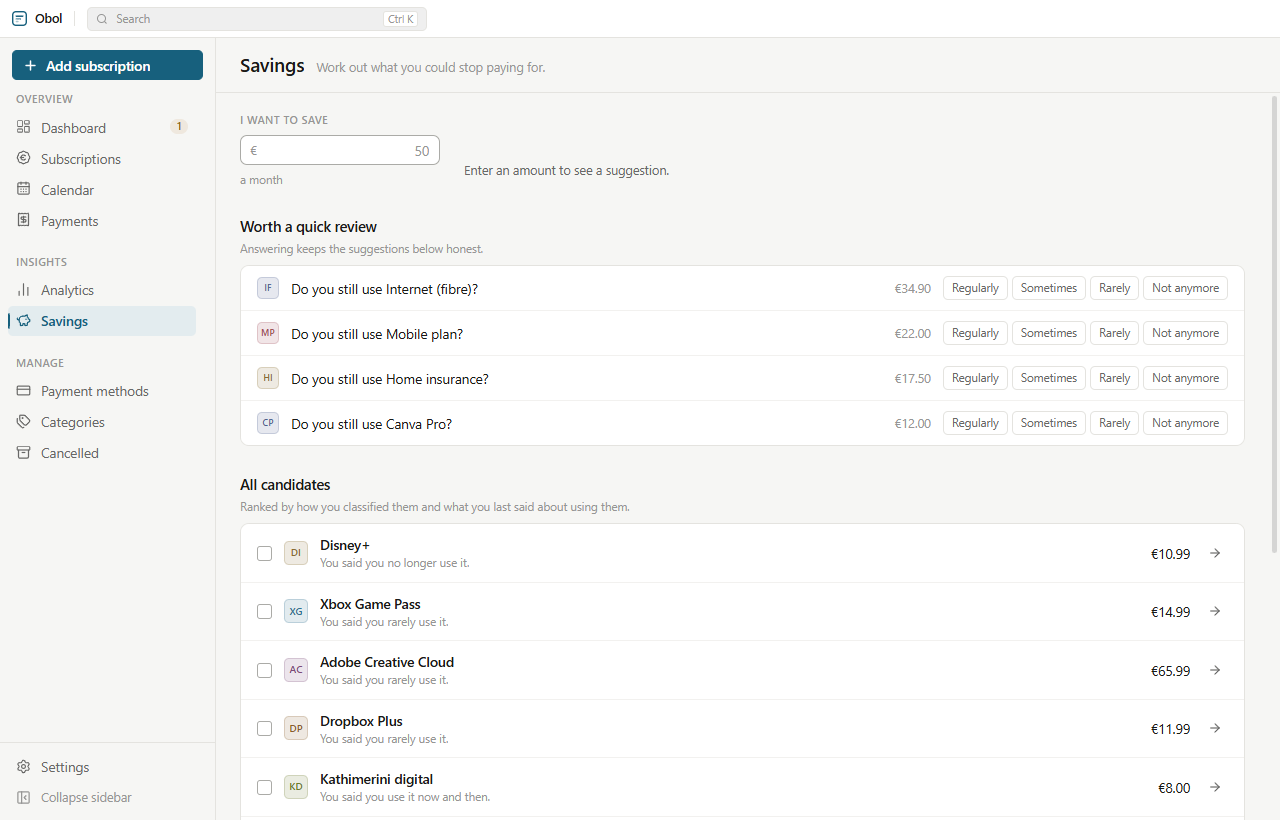
Name a figure you want to save each month and Obol proposes a combination of subscriptions to stop paying for — ranked by how you classified each one and what you last said about using it. Every suggestion tells you why it is on the list.
- Nothing is measured, observed or inferred. Usage check-ins are answers you type, and answering is optional.
- Nothing is cancelled. Obol never touches your accounts — the list is a starting point for decisions that stay entirely yours.
- Include or exclude anything and the total updates as you go.
The whole history behind a single line.
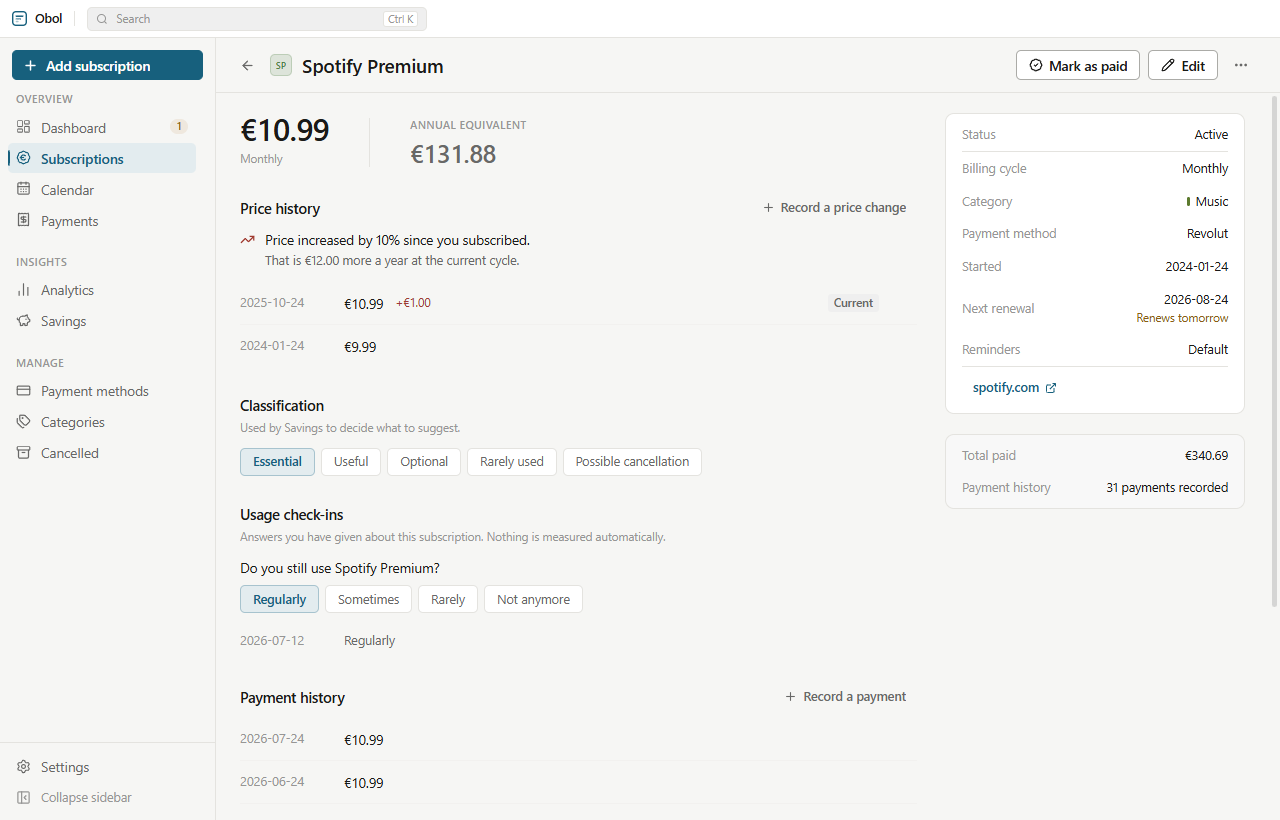
Open anything for its price history, its payment history, how you classified it, and the one button you will press more than any other: mark as paid.
- Change price keeps the old one, so the page can tell you it has risen 10% since you subscribed and what that costs a year.
- Pause stops something counting towards your totals without deleting a thing.
- Plan cancellation records that you intend to stop and by when, and reminds you before the deadline.
Your renewals in your pocket, over your own Wi-Fi.
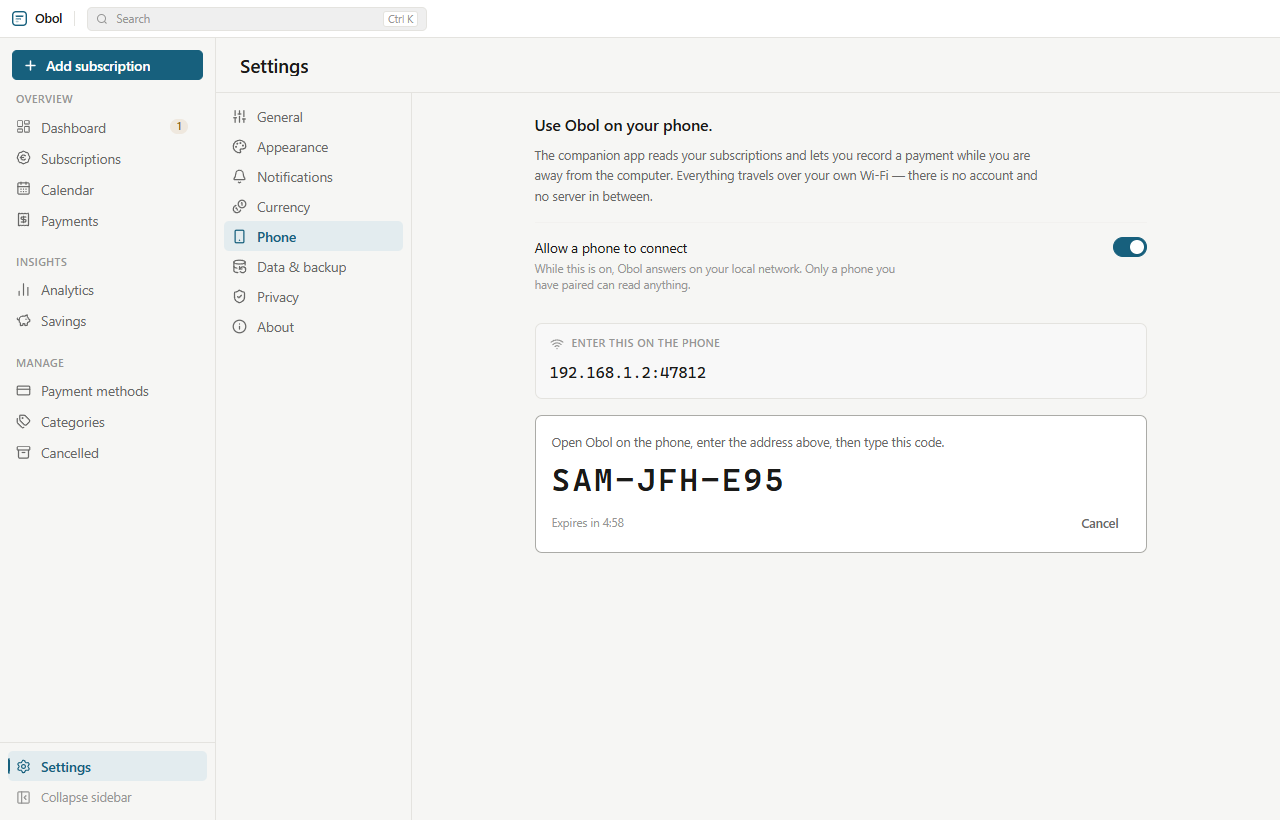
The Android companion shows what is due and lets you record a payment away from the computer. It is not a second copy of Obol: the desktop stays the record of everything, and the phone talks to it directly across your own network. There is no account, no server and no push service in between.
Pairing is a handshake, not a login.
The nine-character code is stretched with PBKDF2, used to seal a single exchange and thrown away; the desktop hands back a random 32-byte key the phone keeps. One code pairs one device, it expires after five minutes, and eight wrong guesses close the window.
Authority runs one way.
The phone may add a subscription, mark one paid and answer a check-in — nothing else. That turns what would be a two-way merge into an append-only outbox that replays onto the desktop, and every operation carries an id, so a sync interrupted by a dropped connection never records the same payment twice.
Both directions are encrypted.
Every message is sealed with AES-GCM under a key only the two paired devices hold, so a shared office or café network cannot read your finances just because both devices are on it. The listener is off until you switch it on.
A short section, because there is not much to say.
Obol was built so that the honest answer to “where does my data go?” is “nowhere”. That is a design decision made early, not a policy written afterwards.
- No account. There is nothing to sign up for, and no email address is asked for.
- No server. Nothing is uploaded, because there is nowhere to upload it to.
- No analytics. No crash reporting, no usage statistics, no tracking of any kind.
- No card numbers. Payment methods hold a label and at most the last four digits — the database has no column that could store more.
- No inference. Usage check-ins are answers you type. Nothing is watched, timed or guessed at.
- No network at all, unless you switch the phone listener on — and then only within your own Wi-Fi.
%APPDATA%\Obol\obol.db
That file is your subscriptions, your payments and your settings. Copy it, back it up, put it on an encrypted drive or delete it. Uninstalling leaves it in place and asks before removing it, so a reinstall finds everything intact.
The details that decide whether you trust a number.
A tracker is only worth keeping if its figures survive a leap year, a timezone, a rounding rule and a machine that was asleep when a charge went through.
Money that adds up
Amounts are rounded to the currency’s minor unit on every write, and normalised cost comes from an annual base, so the usual cycles divide exactly and there is no floating-point residue to explain away.
Dates that do not drift
All arithmetic runs on YYYY-MM-DD through an integer day count, so no
timezone and no daylight-saving change can move a billing date. Recurrence advances from
a stable anchor rather than one period at a time.
Reminders that survive sleep
One row per subscription, kind, date and lead time, with a unique index — so the sweep is safely repeatable and a reminder missed while the machine was off is still delivered on the next launch.
Backups you can rely on
A single .zip holding a consistent snapshot taken through SQLite’s own
backup API, not a file copy. Restoring validates the manifest, schema version, integrity
and every table before touching disk — and writes a safety copy first.
English and Greek
Switchable at runtime with no restart. The translator is shared between the main and renderer processes, so tray menus, native reminders and the interface never disagree.
Themes that stay readable
A theme is five colours and the rest of the palette is derived from them. The accent is lifted until it clears WCAG AA as a label, and the test suite asserts it — a palette you cannot read is a failing build, not a support ticket.
Fifty-eight services, pre-filled
Start typing and Obol offers the usual suspects, filling in the category and website for you. It is a shortcut and not a restriction: anything not on the list is typed in normally and behaves identically.
Locked down by construction
The renderer has no Node access at all. Context isolation on, node integration off, a fixed typed preload surface, schema validation on every call into the main process, a session-level CSP, and permission requests denied by default.
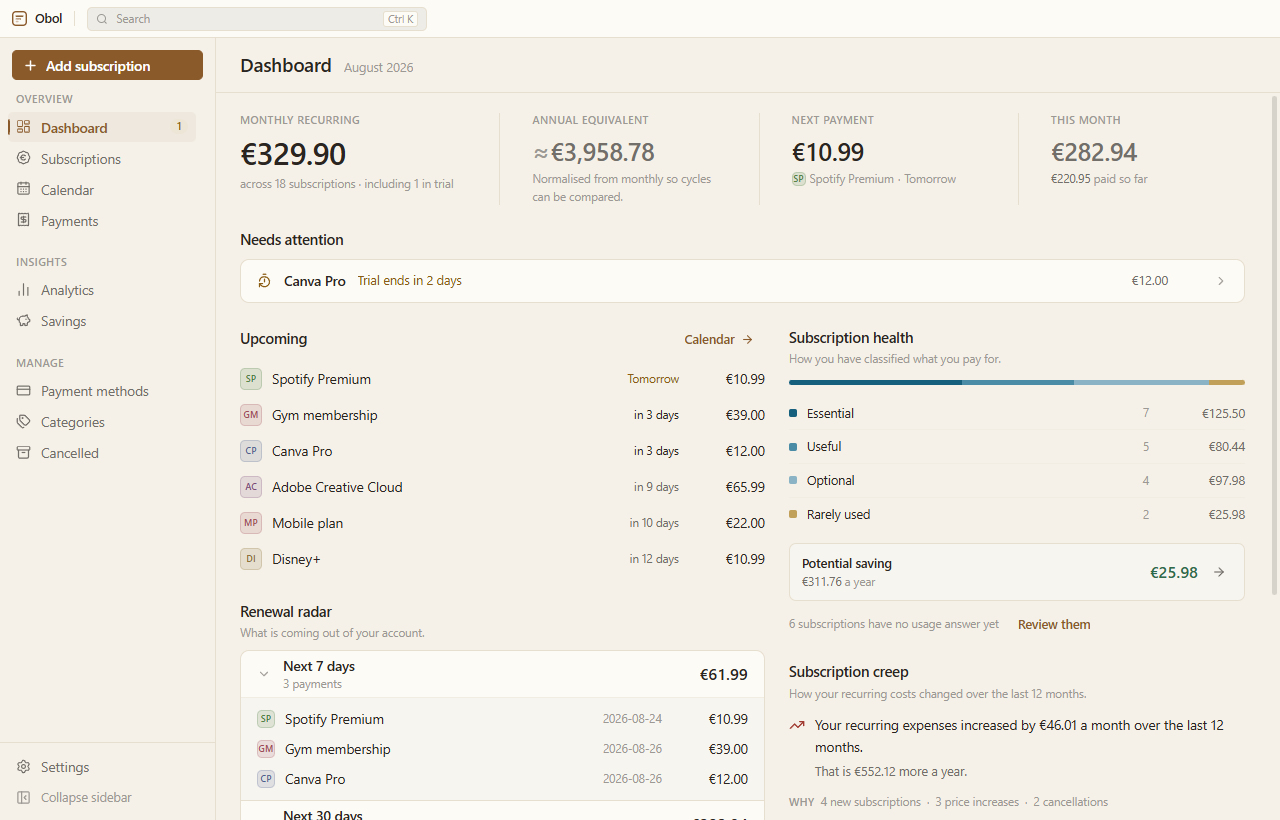
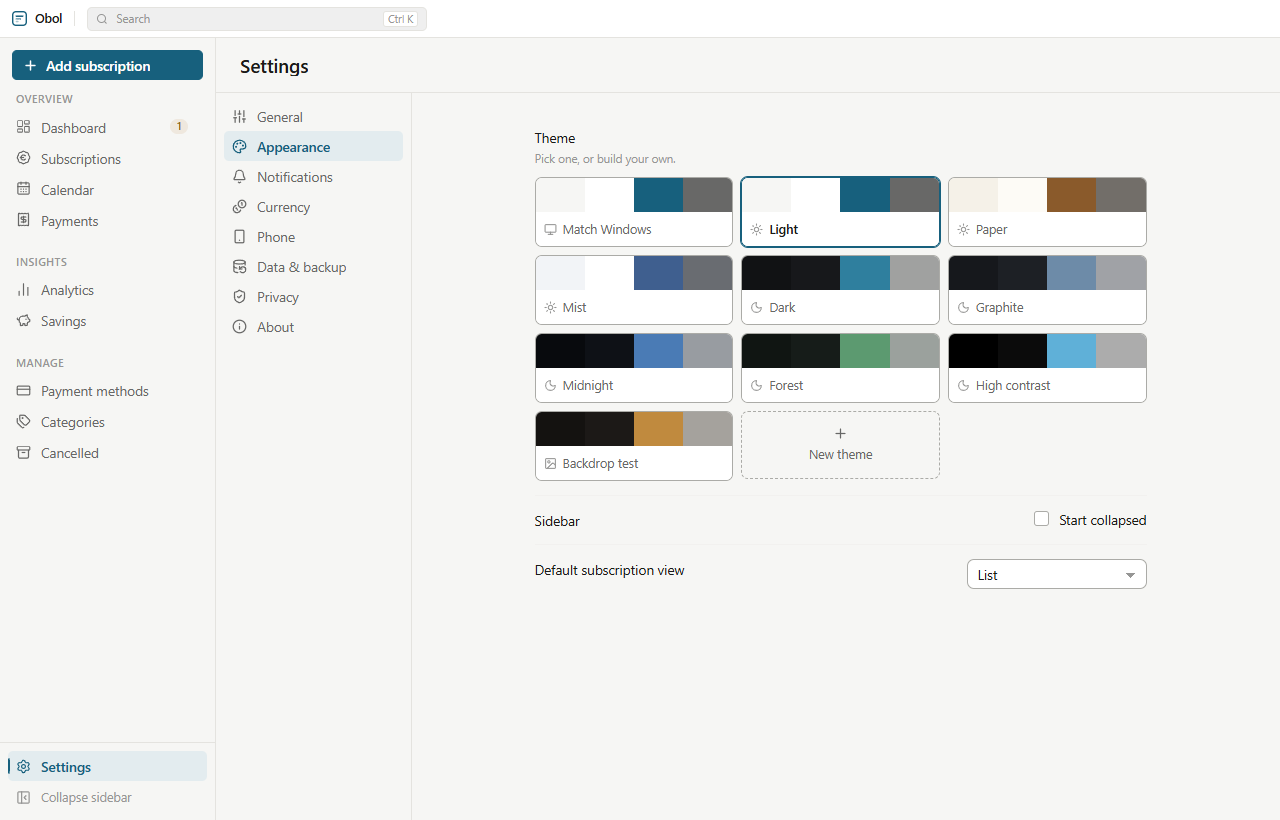
Eight themes, and any number of your own.
Light, dark, and several in between, each built from the same five seed colours through the same code — on the desktop and on the phone, so the two never drift apart. A theme can carry a background image too; panels and rows stay opaque, so text is never set on top of a photograph.
Get Obol
Free, open source and unmetered. The desktop app is complete on its own; the Android companion is optional and needs a paired computer on the same network.
Windows
- Windows 10 or 11, 64-bit.
- Installs for the current user, so it never asks for administrator rights.
- Start Menu and desktop shortcuts, a choosable install directory and a proper uninstaller.
- Nothing else to install first — Node, SQLite and every native component ship inside it.
About the SmartScreen warning. The installer is not code-signed yet, so Windows shows a blue “Windows protected your PC” panel the first time. Choose More info → Run anyway. That prompt is about the absence of a certificate, not about anything found in the file — and the checksum below lets you verify exactly what you downloaded.
d4a93ccd1a20736337696c3926a568752d04e3b8a9bd0804a0187e0c7556e600
Android
- Android 7.0 or newer.
- A companion, not a standalone app: it needs a paired desktop on the same Wi-Fi.
- Shows what is due, records a payment, answers a usage check-in.
- Reminders are scheduled on the phone itself — there is no push service.
Installing outside the Play Store. Android asks you to allow installs from this source the first time; the prompt appears when you open the file. The APK is signed with the project’s own release key, so later versions install over it as ordinary updates.
2f45f224a6e1f62207f8a30af874b39a0fbf9f6361c3c37e2cc6c22e282ad8c0
Or build it yourself
Everything the release contains is produced by these commands. macOS and Linux are not
published as binaries yet, but the app has no Windows-only code paths and the build config
already carries dmg and AppImage targets — they are one flag
away.
# the desktop app
git clone https://github.com/ebeeries/Obol.git
cd Obol
npm install
npm run dist          # release/1.2.1/Obol-Setup-1.2.1.exe

# the Android companion (needs the Android SDK and JDK 17)
cd mobile
npm install
npm run apk
Does Obol connect to my bank?
No, and it never will. Nothing is imported and no credentials are asked for; every subscription is something you enter. That is the trade for a tracker with no server: a few minutes of typing at the start, in exchange for financial data that never leaves your machine.
Is it really free?
Yes. MIT licensed, no paid tier, no upsell, nothing to subscribe to — which would be an odd thing for a subscription tracker to sell you.
What happens to my data if I lose the computer?
It goes with the computer, unless you took a backup. Settings → Data &
backup writes a single .zip with a consistent snapshot of the
database, which you can keep wherever you like, and CSV export is there so you can leave
with your data at any time.
Why is the installer over a hundred megabytes?
Because it carries everything it needs: Chromium, Node, SQLite and the compiled native modules. Nothing has to be installed on the machine first, and nothing is downloaded during setup.
Do I need the phone app?
No. The desktop app is complete on its own, and the local-network listener it uses is off until you turn it on. The companion exists for the moment you are standing somewhere else and want to record a payment before you forget it.
Is there a macOS or Linux build?
Not published yet. The application has no Windows-only code paths and the build
configuration already includes a macOS dmg and a Linux
AppImage target, so building either from source is a single flag — but
only the Windows installer is tested and released today.
Find out what you are actually paying.
It takes about ten minutes to enter what you pay for, and it usually costs less than the first subscription you cancel afterwards.